


Local Weather Alerts - Widget
4.817.88K Reviews
App Specs
- Version
- 1.7.2
- Updated On
- License
- Free
- Downloads
- 10,000,000+
- Developer
- Vitality App Studios
- Categories
- Weather
- Platform
- Android
Screenshots
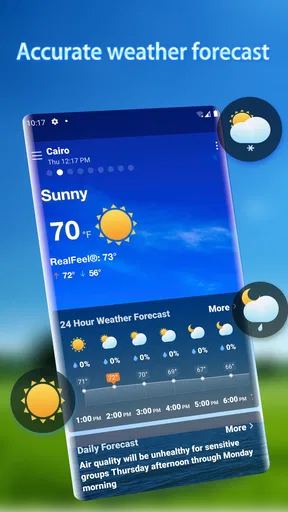
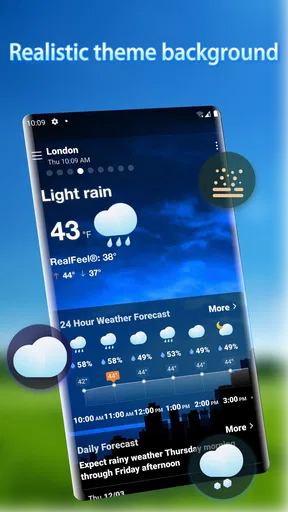
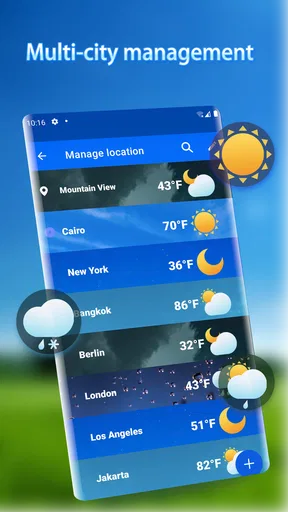
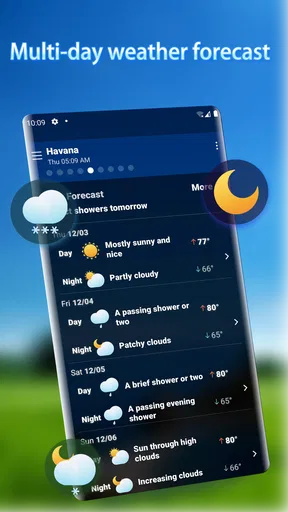
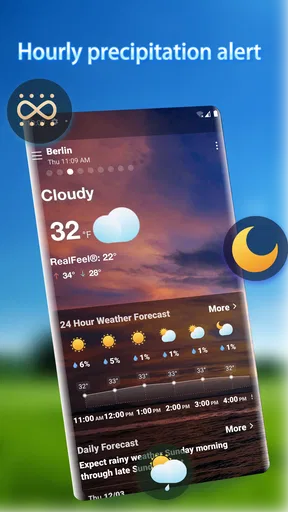
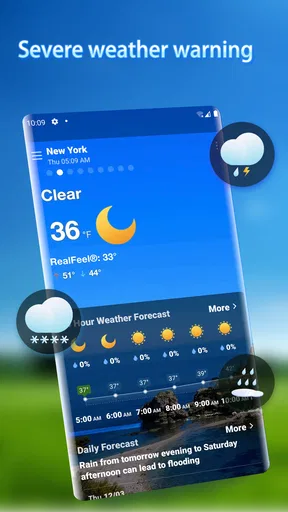
 Analysis by AppCompare
Checking the weather often means opening an app, finding the right forecast, and still wondering whether a change will affect the next part of the day. I like the idea behind Local Weather Alerts - Widget: put useful local conditions and alerts where I can see them, so deciding whether to carry a jacket or change an outdoor plan takes less effort. It is a weather app from Vitality App Studios, and its widget-first approach is most appealing when I want a quick answer rather than a deep dive into meteorology.
When a quick glance is enough
The recurring problem this app aims to ease is small but familiar: weather decisions come up while I’m already busy. A glance at a home-screen widget can be more convenient than opening a full forecast, especially before leaving home or between errands. That convenience matters most when the weather is changeable; it can help me notice that the day deserves a second look before I head out.
I would not treat any phone forecast as a guarantee, though. Local conditions can shift, and an alert is a prompt to check what is happening, not a substitute for judgement or official safety guidance in a serious weather event. The app makes most sense as a practical everyday companion: helpful for planning, but not something I would rely on as my only source in a dangerous situation.
Getting to a useful first setup
The first thing that struck me about Local Weather Alerts - Widget is how easy it is to set up. No fuss, no complicated menus to navigate. Just install, and you’re pretty much good to go. The widget itself is customizable, so you can tweak it to show what matters most to you—be it temperature, wind speed, or those pesky storm alerts.
A useful way to approach that customization is to decide what question you want the widget to answer. If I mainly need to choose clothing, temperature may be the most useful detail. If I’m planning a walk or cycling, wind can matter more. Keeping the display focused can make a glance genuinely quick; trying to surface every kind of information may defeat the point of having a widget.
It is also worth thinking about where the widget will be most visible in your routine. A home screen you check before leaving is more useful than a page you rarely open. I would start with the essentials, watch how often I actually consult them, and only then adjust the display. That small bit of restraint helps turn a customizable screen into a practical habit rather than another busy panel on the phone.
How it fits into an ordinary day
I find the strongest case for a weather widget is not that it predicts every turn in the sky, but that it helps me notice when a routine plan deserves another look. In this section, I’d focus on fitting that check into a real habit—such as looking before leaving home—so the widget saves a few taps without becoming something I monitor all day.
Worth Reading Before You Choose

Switching to Android Auto Means Rethinking Your Driving Routine

Google Calendar Makes a Crowded Week Easier to Manage

Baby Panda World Brings Quick Play to Modern Phones, but Its Game Library Feels Busy

ESPN’s Live Game View Makes Following Close Games Easier

QuizzLand Review: A Good Fit for Short Trivia Breaks, Not Every Player

Basketball Stars: Multiplayer Is Fast, but Can It Recover When Matches Go Wrong?
Planning around changing conditions
One of the features I love is the real-time weather updates. Whether you’re planning a weekend hike or just need to know if it’s a shorts or a sweater day, this app’s got your back. The alerts are timely and accurate, which is a lifesaver when you’re trying to plan ahead.
For an everyday example, imagine leaving for work in the morning and deciding whether to walk part of the way. A quick glance can help you consider the temperature and wind before setting off, while an alert may give you a reason to check the forecast again later. That is a modest benefit, but repeated small decisions are exactly where a home-screen weather tool can save time.
For a longer outdoor plan, I would use it in two passes: check the widget while making the initial plan, then revisit the forecast closer to departure. That avoids treating an early glance as a promise about conditions hours later. If the activity depends heavily on safe weather, I would also consult a detailed forecast or an official warning source before committing.
A simple interface, with a practical trade-off
Now, I’m a sucker for good design, and this app doesn’t disappoint. The interface is clean and intuitive. You don’t need to be a tech wizard to figure it out. Everything is laid out clearly, and navigating through different settings is a breeze. Plus, the widget integrates seamlessly with both Android and iOS, making it a versatile choice for pretty much anyone.
Because the product is centered on a widget, the home screen is a bigger part of the experience than it is with a forecast app I open only when curious. That can be a real advantage if I check conditions repeatedly, but it also means the value depends on whether I’m comfortable giving a weather panel space on my screen. Someone who prefers a clean home screen and rarely checks local conditions may get little benefit from the format.
Another cool thing is the minimal battery drain. I know, I know, some apps just love to sap your phone’s juice, but not this one. It’s lightweight and efficient, so you can keep it running without worrying about your battery life.
Alerts are useful, but not the whole forecast
I’ve tried quite a few weather apps, and the alerts in this one are some of the most reliable I’ve come across. You can set alerts for severe weather conditions, which is particularly handy if you live in an area prone to sudden weather changes. The notifications are clear and to the point, so you know exactly what to expect and when.
Having this kind of information readily available is a game changer. It’s like having a personal weather station right at your fingertips. Whether it’s a heatwave or a sudden cold front, you’ll be prepared.
My practical tip is to think of an alert as a nudge, not as a complete explanation. A notification can tell me that conditions deserve attention, while the forecast itself helps me decide whether to alter a route, postpone a plan, or simply take an extra layer. That distinction is useful for anyone who wants fewer surprises without expecting a short notification to answer every planning question.
What customization can and cannot solve
One of the app’s strengths is its integration capabilities. It works well with other apps, so if you’re using a calendar or a travel app, you can sync your weather alerts for better planning. I found this particularly useful when scheduling outdoor events or trips.
Customization is another area where this app shines. You can choose what kind of weather data you want displayed. Whether you’re a casual user who just wants the basics or a weather aficionado interested in more detailed stats, this app caters to both ends of the spectrum.
For a trip, I would use the local view to check the conditions around the place I am about to leave, then make a separate check for the destination before setting off. A local widget is naturally most useful when its location matches the decision in front of me; it should not be mistaken for a complete travel forecast. This is a straightforward workflow, but it prevents the common mistake of assuming that conditions at home will tell me what awaits elsewhere.
Compared with the built-in weather option many people already have, this app’s appeal is its combination of a configurable widget and alerts. A basic default forecast may be enough if all I want is the temperature once in a while. A more map-focused service is a better fit if I regularly track weather movement in detail. I see this app between those extremes: convenient for repeated local checks, but not necessarily the one tool for every kind of forecast research.
Who will get the most from it
I think it suits people who make frequent small decisions based on local conditions: commuters choosing a jacket, parents planning a playground visit, or anyone who likes to check the sky before walking, gardening, or heading out for an errand. It is especially compelling if a home-screen glance feels easier than opening a full app each time.
On the other hand, I would skip it if I only check weather occasionally and already feel well served by the forecast built into my phone. People who need extensive radar analysis, specialist forecasting, or a detailed picture of conditions far from their current location may prefer a dedicated service built around those tasks. The right choice depends less on which app has the longest feature list and more on whether the information is easy to reach when a decision needs to be made.
Where the experience has limits
While Local Weather Alerts - Widget does a lot right, there are a few areas where it could improve. For starters, the app could benefit from a broader range of languages. Currently, it’s somewhat limited, which might not be ideal for non-English speakers.
Another thing that could enhance the app is more detailed radar maps. While the existing maps provide a good overview, additional layers and features could offer users a more comprehensive understanding of weather patterns.
Those trade-offs shape how I would use it. If I need a fast local check, the widget and alert-led approach are a sensible fit. If I want to inspect how a storm is moving or compare several map layers before making a decision, I would turn to a more map-oriented alternative. The app’s value is in reducing routine checking friction, not in replacing every specialist weather tool.
Cost, compatibility, and the decision to try it
The app is free to download, with in-app purchases listed between $2.99 and $4.99 per item. It is rated for Everyone, has a 4.8 average from around 333,000 ratings, and has passed 10 million installs. Vitality App Studios released it on November 11, 2020; its current version is 1.7.2, and it requires Android 6.0 or later. Those details make it easy to assess whether it fits a device and whether trying the basic app is a reasonable first step, without assuming that every user will need a purchase.
If you are wondering whether the widget is worth setting up, I would decide by testing it against one recurring choice: what to wear, whether to walk, or when to take an outdoor break. If it lets you answer that sooner than your current routine, it is doing its job. If you still find yourself opening another app for the same information, the widget may not be earning its place on your screen.
My verdict after weighing the trade-offs
All in all, Local Weather Alerts - Widget is a solid choice if you’re looking for a reliable weather app that won’t bog down your device. Its real-time updates, sleek design, and customization options make it a worthy download. Whether you’re a casual weather checker or someone who needs to stay on top of the forecast, this app is definitely worth a try.
So, if you’re tired of getting caught off guard by Mother Nature, give this app a shot and step out prepared. Rain or shine, you’ll be in the know.
My recommendation is conditional in a useful way: try it if weather checks are part of your daily rhythm and you want the answer closer at hand. Keep a second source in mind for high-stakes plans or detailed radar work, and do not expect a compact widget to replace a full forecast. Used for the quick decisions it handles best, it can remove a little friction from the day without asking you to reorganize how you plan everything.
Pros
- Customizable weather alerts.
- Accurate local forecasts.
- Widget supports multiple locations.
- User-friendly interface design.
- Real-time severe weather updates.
Cons
- Occasional notification delays.
- Limited free features.
- Ads can be intrusive.
- Requires constant internet connection.
- Battery usage can be high.
FAQs for Local Weather Alerts - Widget
What features does Local Weather Alerts - Widget offer?
Local Weather Alerts - Widget provides real-time weather updates, customizable widgets for your home screen, and severe weather alerts. The app includes hourly forecasts, radar maps, and a 7-day weather outlook. Users can also personalize notifications to receive updates on specific weather conditions.
Is Local Weather Alerts - Widget free to use?
The app offers a free version with essential features. However, for additional premium features such as advanced radar options and ad-free experience, users can opt for a subscription model. The app provides a free trial period for users to explore premium features before committing.
How accurate are the weather forecasts provided by the app?
Local Weather Alerts - Widget uses reliable meteorological data from trusted sources to ensure accurate forecasts. The app updates frequently to provide the most current weather conditions. Users have reported satisfaction with the accuracy of the forecasts, especially for short-term predictions.
Can I customize the alerts and notifications?
Yes, the app allows users to customize alerts based on their preferences. You can choose the types of weather events you want to be notified about, such as thunderstorms or snow. Additionally, the app lets you set the alert frequency and sound to suit your needs.
Does the app drain the battery quickly?
Local Weather Alerts - Widget is designed to be efficient and not significantly drain your device’s battery. Background data usage is optimized, and updates can be set to occur at intervals that balance timeliness with power consumption. Users generally report minimal impact on battery life.


